Directing a sequence with Kling 4.0
Six stills set the rhythm of a mint-green music video. Two sheets launch a clay astronaut into a moon made of cheese. The examples show two ways to direct Kuaishou’s Kling 4.0.
All articles
All topics
19 articles
No articles found.
On this page
Three shots from a six-frame sequence
Start with the white recorder. Everything you need to recognize the first close-up is in one still: the mouthpiece, the musician’s lavender top and the checked curtain. In the film, her fingers move over the holes. The next cut leaves the instrument behind and brings her hands together against a mint-colored wall.
 The recorder
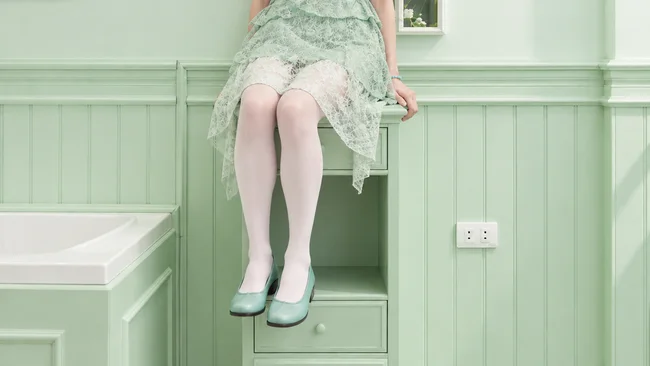 The shoes
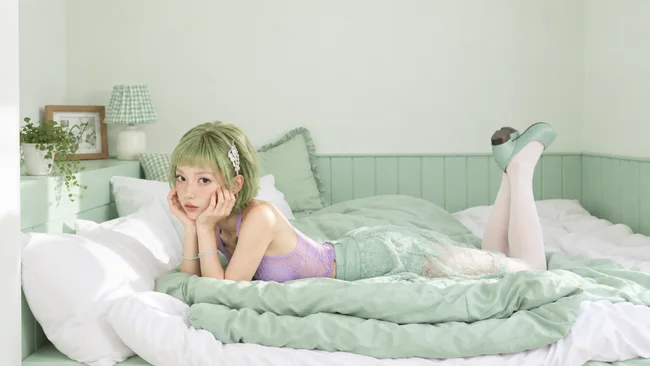 The bed
Look at the shoe shot in the film. The toes swing over the edge of the seat. A still can tell Kling how tightly to frame the shoes. A direction such as “let her feet swing once before the cut” gives that shot a reason to last.
One sheet for the dog, one for the chase
The two reference sheets appear alongside the 15-second Kling 4.0 short. One image gives the space dog a shaggy brown head, a white suit and a yellow prop, seen from several angles. The other lays out eight drawings in reading order, from the landing site to a meeting with a gray mouse.
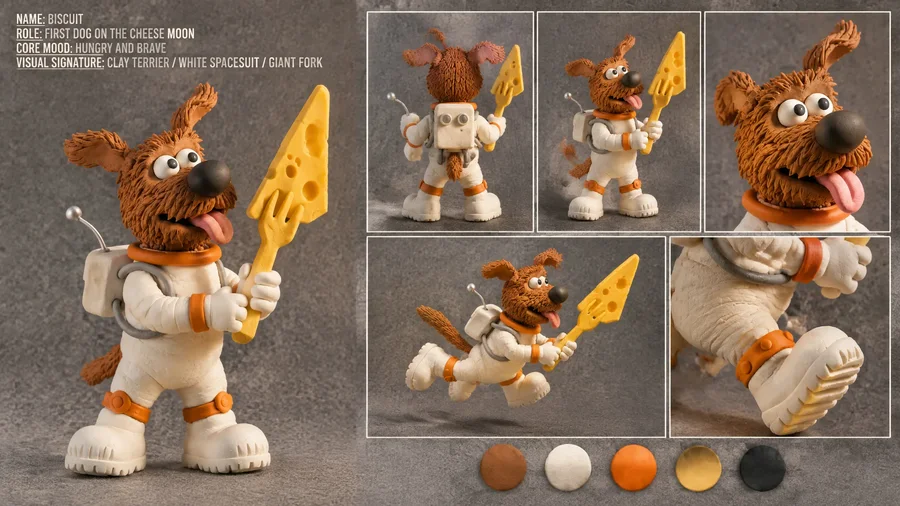 Character sheet
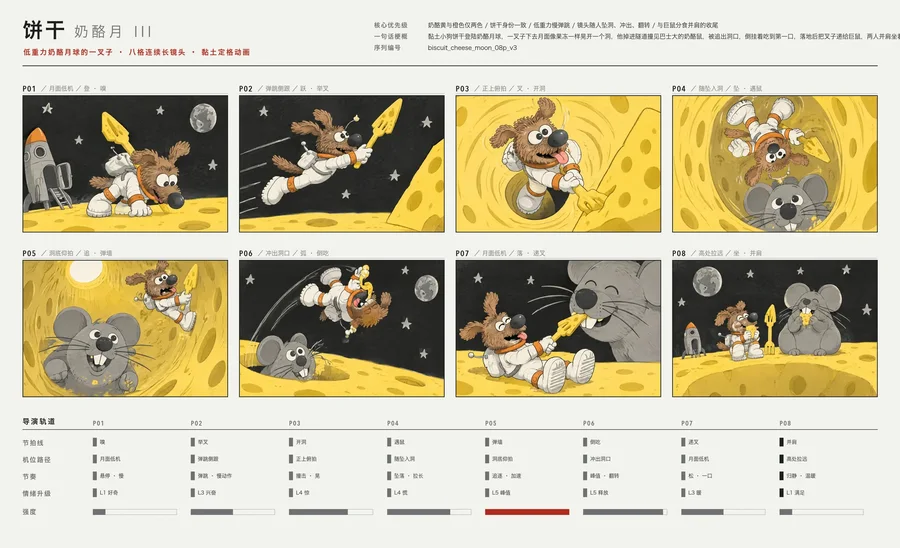 Eight-panel storyboard
The jump reads in silhouette against black space. A cut brings the camera inside the yellow tunnel and the walls slide past the dog. Pause there. You can trace the shape of the tunnel to a storyboard panel and the shape of the boots to the character sheet. Together the inputs answer two different questions about that one frame.
Decide what each reference is for
For a sequence like the musician’s, place the important views in playback order. Give the gesture that connects them to the prompt. Kling documents up to ten keyframe images for a native clip of three to thirty seconds.
For a recurring character, give the reference a specific job. The dog sheet supplies its proportions and costume even when the board calls for a new angle. Kling’s Omni Reference workflow accepts up to fifteen assets in total across images, videos, subjects and voice. A six-panel drawing uploaded as one image is still one reference sheet. It gives you fewer timing controls than six individually placed keyframes. Kling 4.0 model guide
Try one camera move with two frames
Use the full painting and the closer crop below as the opening and closing frames of an eight-second shot. On the first pass, watch only the green lamppost. It provides a fixed point for judging whether the camera approaches the couple smoothly.
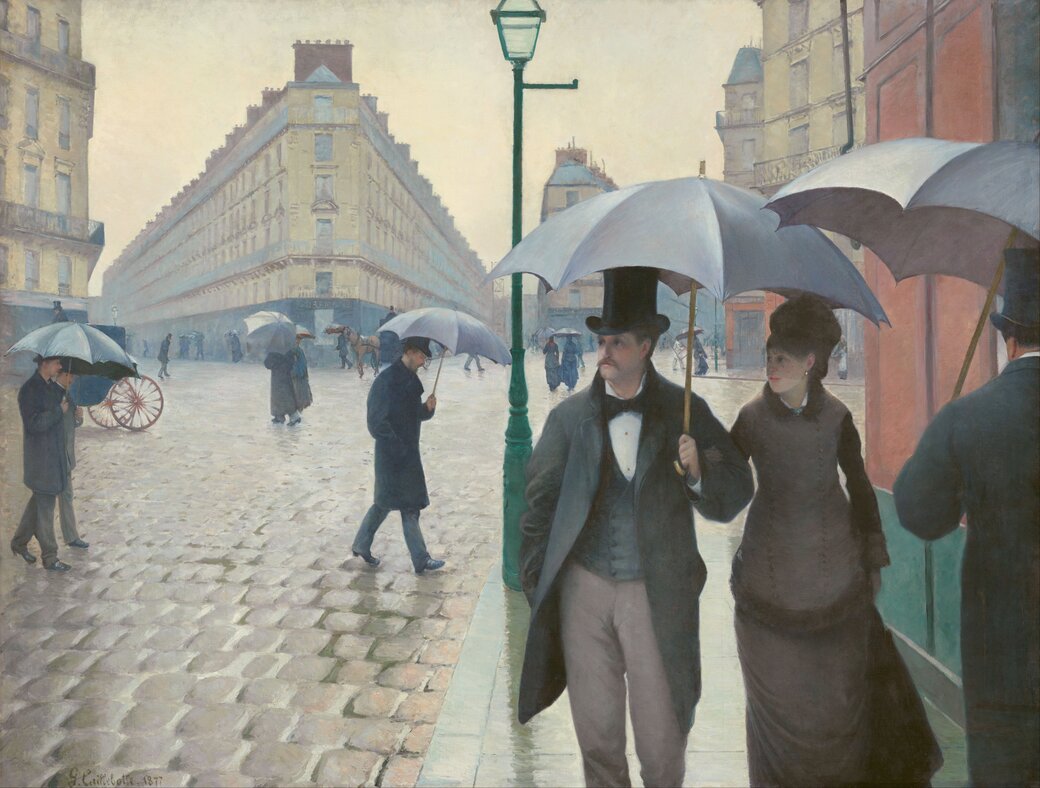
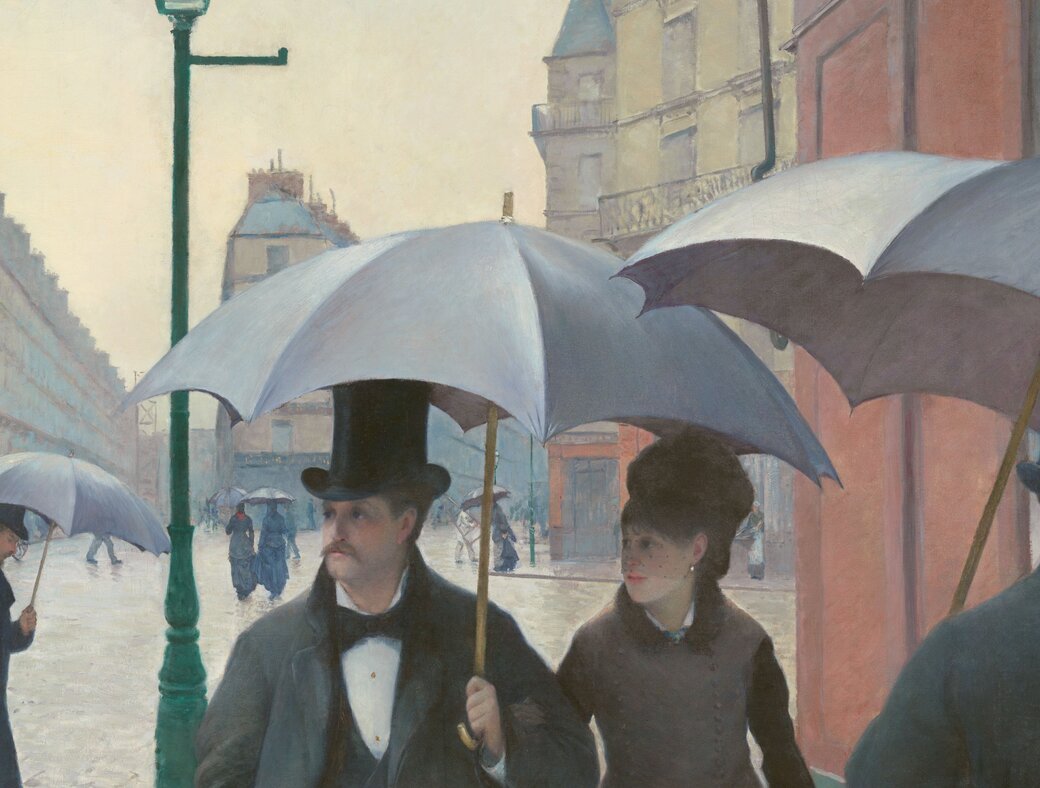

Move slowly across the wet cobblestones toward the couple under the umbrella. Keep the buildings still. Ease into the closer view as the green lamppost reaches the left edge.
If the post jumps, pause just before the jump. A crop halfway between the two framings makes a useful third keyframe. Keep the prompt the same and compare the two moves.