H3 Flex, shot by shot
Two players, a ping-pong table and an empty swimming pool. What holds a scene together when the camera comes down from overhead?
All articles
All topics
19 articles
No articles found.
On this page
From the deep end to the net
From above, the green tabletop is a rectangle between two players. A few seconds later the net almost meets the lens. The red tracksuit is still on one side and the frog mask on the other. Those two patches of color make the rally easy to follow even as the pool wall rises into view.
The filmmakers used H3 Flex, a video-and-audio model built on MiniMax H3. The published prompt gives a single reference image the job of fixing the cast and location. It gives the camera a sequence of positions and times. To try another angle on a shot like this, keep the image and the action, then change just the point where the camera comes to rest. See the reference image and shot directions
How quickly can you audition that change? In a published benchmark, the transformer took seven seconds to generate a 15-second clip at 768p. That timing covers the generation core. Queuing, decoding and preparing the download also contribute to the time an editor waits. Read the benchmark conditions
One turn in two rooms
Watch the elbows. On the left, a dancer in yellow raises both arms in a tiled passage and turns. On the right, a figure in a long, angular coat carries the turn into a concrete silo. The heavy folds give the second figure a different silhouette. The lift of the arms still tells you when the turn is coming.
A still can anchor a face, garment or room. A movement clip can tell Flex when to lift a shoulder or start a pivot. The reference mode accepts up to 12 files in total. If a client likes a performance but wants a new location, describe which clip supplies the timing and which image supplies the space. Then replay the transition where the dancer turns away. Reference inputs in the H3 Flex model card
Listen to the haircut in layers
Play the two excerpts from Cube Haircut. The music fills the four seconds. The foley track leaves space between small, isolated sounds. In a full mix, bringing those sounds forward by turning up the whole clip would also bring up the music.
Flex returns a stereo mix with the picture. Through the hosted H3 Flex API an editor can also request five tracks for dialogue, score, sound effects, foley and ambience. That gives you a straightforward revision when speech gets buried under a cue. Pull down the music and leave the voice, room tone and picture timing in place. Hear the original mix and stems
Look at the fold in the sleeve
At half a second into the horseback shot, the rider’s checked sleeve bunches at the elbow. Compare the dark lines where the cuff turns. The folds and the hand position belong to the same take, so you can look for changes in detail without having to match two performances.
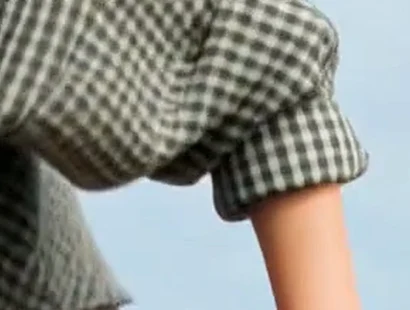 768p draft
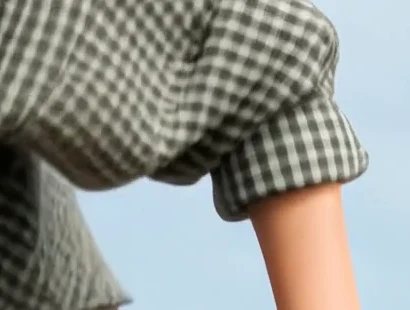 Upscaled preview
Flex generates at 480p or 768p. Once the movement and sound fit the edit, the finishing endpoint can enlarge the chosen take to 1080p, 2K or 4K. If the rider’s hand lands a beat too early, revise the draft first. Upscaling preserves that beat. How to upscale an existing draft
Choose where to make the shot
The H3 Flex repository includes the adapters, inference code and sample inputs for running the model locally. You can start from text, an opening or closing frame, or multimodal references, and produce native-resolution video with a stereo mix. The hosted service also offers higher-resolution finishing and separate audio tracks.
Get the model weights · Read the inference guide · Open the H3 Flex playground
Try directing one change
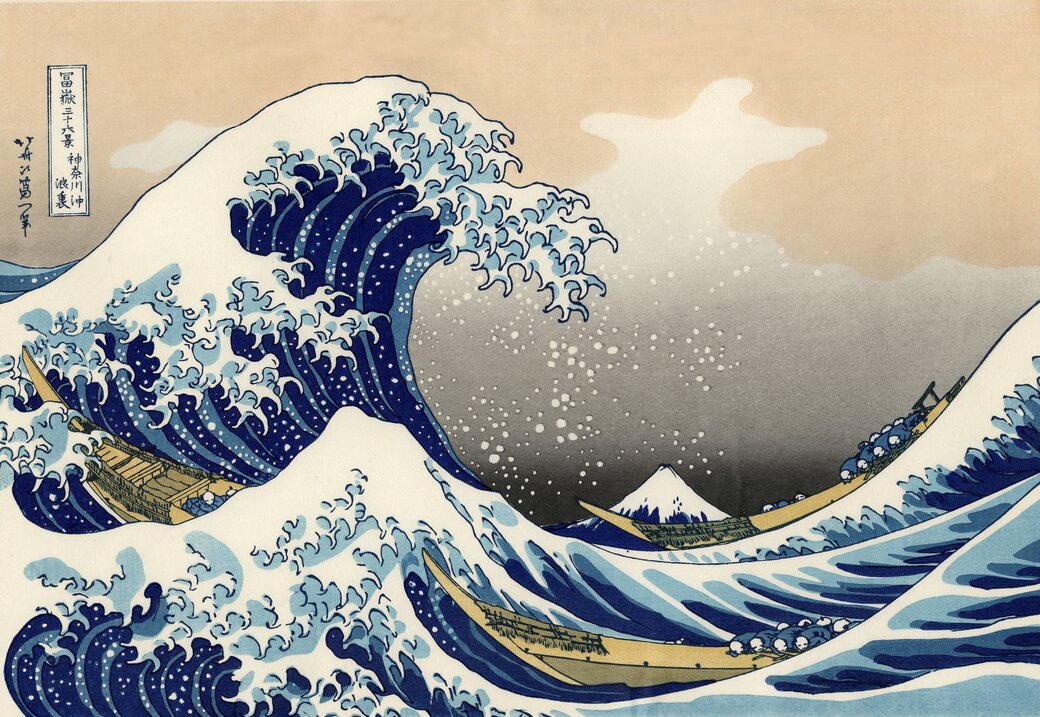
Download the wave print as an opening frame. Make one take with a fixed camera and another with a slow push toward the crest. Use the same sound cue in both and listen for when it arrives.
Keep Mount Fuji on the horizon. Let the tips of the wave break into foam. Hold the camera still until the first splash.Download the practice frame · Print after Hokusai, via Wikimedia Commons