
Applications
How to use video cloning: viral content, talking-head videos and TikTok
Learn how rikoko turns a reference into a new video, from viral shorts and product presentations to a complete 24-second TikTok adaptation example.
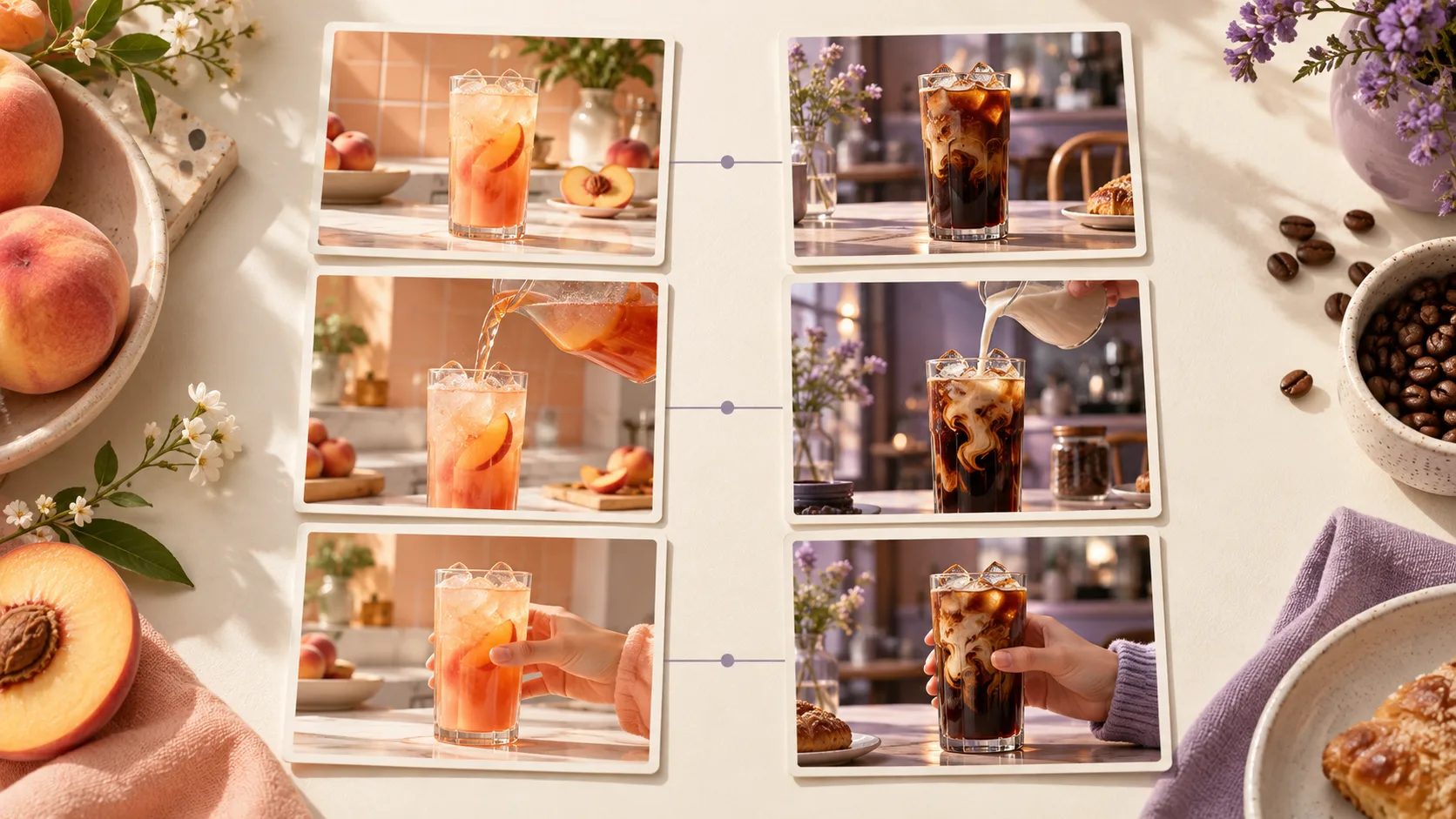
You have a saved short video that is hard to stop watching: a strong opening, smooth delivery and a product that appears at just the right moment. You want something similar for your account, but the next step is unclear. How should it open with your subject? How should the shots change for your product? Video remaking bridges the gap between “this is a useful reference” and “I can make my own version.”
TL;DR Content Overview
- Video remaking can adapt viral content, recreate talking-head and product-promotion videos, continue a series, and produce language versions or creative variations. Choose the purpose first, then decide which aspects to reference.
- In rikoko, replication is a process from reference analysis and target storyboarding to visualization and editing. You can specify retention of narrative, composition, action, or pacing, while swapping for your own theme, characters, and products.
- When using TikTok, first find references close to your audience and targets, then rewrite the opening, presentation process, and conclusion. The 24-second cable clip example in this article demonstrates how to turn a content structure into your own video.
1. Why Video Replication Is Needed: Six Scenarios Worth Using
When making a video from scratch, you need to address topic, script, shots, sound, and editing all at once. A good reference can help you first identify a few things: why the audience wants to stop, in what order information appears, and which shots deserve an extra second. Then you can focus your energy on your own content.
These six scenarios address different production tasks. An educational creator may need a structure for speaking to camera; an ecommerce seller may care most about displaying a product; a narrative filmmaker may focus on transitions between actions and emotions.
1. Replicate viral content: turn engaging ideas into your own story
Twist short films, pet plots, miniature worlds, item transformations, and stress relief processes can all serve as references. The points worth breaking down are very specific: What anomaly did you see at first glance? At what moment did the audience start expecting the outcome? How did the final scene respond to the beginning?
Suppose the reference film tells the story of "a kitten seriously running a bakery": it starts with a little paw kneading dough, then an accident occurs, and the finished product is revealed. You can follow the story sequence of "work like a person — encounter small troubles — deliver results," change the protagonist to your own original character, and change the setting to a flower shop. Kneading dough should also be changed to trimming flower branches, wrapping flowers, handing bouquets, with the movements redesigned around the new story.
If you just swap characters and keep actions that don't belong to the flower shop, viewers will immediately notice it's unnatural. A good adaptation can convey similar interest and make every action feel coherent in the new setting. The original film's viewership only suggests it's worth studying; Whether a new film can attract viewers depends on the new story itself.
2. Adapt a talking-head video: learn a storytelling rhythm that is easy to follow
A good talking-head video usually follows a clear sequence: introduce a specific problem, offer a point of view, explain it with an example, then tell viewers what they can do. Visuals support the delivery through pauses, closer shots, keyword captions and demonstrations inserted at the right moment.
For example, if you want to refer to an explanation of "Correcting Common Misconceptions" to make your own interview skills video, You can keep the order of "point out the problem—explain the reason—show the method of improvement" and rewrite it as follows:
Talking-head adaptation example
“When introducing yourself, do you start with the year you graduated and describe everything up to today? First, choose one thing most relevant to the job. If you are applying as a designer, start with a project: what problem did you face, what decision did you make, and what did you deliver?”
Start by speaking to camera. When you mention “a project,” insert footage of your own work, then use three short labels to reinforce the sequence. The remake borrows the delivery structure and the coordination of visuals and sound; the content comes from your experience. Record yourself again, or combine your own audio with images, screen recordings and subtitles.
Giving the same avatar new dialogue, or automatically matching lip movements to new lines, is a more specific production task requiring avatar and lip-sync capabilities. Replacing a voice track alone will not change the mouth movements in the original video.
3. Adapt product promotions and demonstrations: show a use case that makes sense
"Encountering trouble—using the product—seeing changes" is an easy-to-understand product narrative. You can use it for desktop cable organizers, travel storage bags, portable lighting, or to explain a software function. Each adaptation requires finding its own challenge and presentation method for the new product.
Suppose the reference sells a travel organizer: it shows scattered items, packs them inside and closes the zipper. For a cable clip, change this to a cable end falling behind a desk, the cable being placed in the clip’s slot, and someone picking it up when it is time to charge. The adaptation preserves the problem-solving sequence while redesigning every action around the cable clip.
The most convincing part of a product demonstration is often a real, complete operation. Existing live shots can be used directly as the main subject; AI images can be used to supplement scenes, product atmosphere, or transitions. Audiences need to judge product performance based on these actions, prioritizing materials that reflect the real product's performance.
4. Reuse a series format: give the next episode a familiar starting point
"Explaining a design detail each episode," "Demonstrating a software tip every day," "Introducing a city corner every week" can all form a stable video format. Fixed opening length, title placement, visual rhythm, and ending gradually make the series recognizable to the audience.
You can start with an episode you're satisfied with and keep the reusable parts: start with a question, then give an example, and finally demonstrate the actual operation. For the next episode, change the topic, examples, and materials, keeping the overall expression habit. This way, each episode will have new content, and you won't have to re-decide every detail during production.
5. Make language and market versions: tell the same content to another group
If you already have a Chinese product introduction and want an English version, preserve clear demonstration footage and rewrite the spoken script and subtitles. First consider how local viewers ask questions and what they call the product, then choose sentence lengths and pauses.
The same message may take different amounts of time in different languages. Listen to the new recording first, then adjust the cuts and subtitles. If needed, remove repeated information and add a product detail shot to give viewers time to follow. For a presenter speaking on camera, decide whether to reshoot, insert demonstration footage, or use a lip-sync tool that is already connected.
6. Create creative variations: test your judgment with several versions
Even after finishing a video, you might still be unsure: should you show the problem at the beginning or the result first? Should you let people speak first, or give a close-up of the product? Keep the main paragraph and create two or three different openings, and you can turn these ideas into a comparable finished video.
This is also a replica of one's own work. Keep satisfactory material, only modify the parts you want to verify, and record what was changed in each version. Only then can you connect audience reactions with specific changes. Its value lies in giving experiments more direction; views and conversions still need to be observed after actual release or advertising.
2. What does rikoko’s “video cloning” actually preserve?
In rikoko, video replicas start with a reference video, understand its narrative, shots, actions, and sound, and then create a new version according to your goals. You decide which features you want to keep, what content to replace, and which scenario you want to use it in.
If you are using an AI assistant connected to rikoko MCP, you can directly submit reference videos and requirements to it. The assistant understands creative intent and plans new videos; rikoko provides analysis, material creation, and editing tools. You can view proposals through conversation, suggest modifications, and then enter the workbench to adjust the final video.
For ordinary editing templates, there are usually fixed clip positions and effects; you just need to fill in the footage; For reference video replication, you also need to first derive a production plan that suits your goals. CapCut's explanation of Remake can help understand the former form. Both methods can reuse creative experience, depending on how much you want to change it.
Start by explaining how the new video should resemble the reference
“Make something similar” is not specific enough. You may like the story, a continuous turning movement, or the coordination of speech and subtitles. Describe the similarities you want so production follows a clear direction.
| The part I want to keep | How can it be described? | What needs to be decided again for the new video |
|---|---|---|
| Narrative structure | First see the result, then explain the process, and finally return to the result | Your own theme, viewpoint, examples, and conclusion |
| Shot design | Keep the sequence of a wide shot establishing the setting, a closer shot showing the action, and a close-up revealing the detail | The new subject’s position, setting and duration of each shot |
| Action and camera movement | Keep the sequence of picking up the object, turning it toward the camera and putting it back, along with the feeling of the camera pushing in | Motion reference, appearance of the new subject, and starting and ending states |
| Visual style | Retain warm side lighting, close-up composition, and a unified background color | People, products, clothing, and brand elements |
| Sound and editing rhythm | Keep the coordination of short spoken lines, cuts after pauses and keyword captions | Your own lines, recordings, music, and subtitle times |
These layers can be combined. When making a series, you might mainly retain structure and subtitle style; When making an action short, pay more attention to composition, action stages, and shot transitions. When you want to get closer to the original, you can clearly request to retain shot order, key actions, and timing, then check the results item by item.
Visual similarity and action fidelity depend on the inputs and the model. Product images can help maintain appearance; motion references must be supplied through an interface that supports video references. rikoko defaults to a MiniMax option that meets the task’s requirements, but reference-based generations still need review shot by shot. Frame-by-frame consistency cannot be promised in advance.
From references to new films, you should see four clear results
- Reference breakdown. Explain how the video opens, what each shot is doing, how the action progresses, and how the sound is coordinated. Key observations should correspond to the original footage to make it easier for you to verify.
- Your adaptation proposal. Set out the new video’s subject, script and intended shots, identifying what follows the reference and what changes for the new content. For example, wrapping flowers in a florist’s shop needs a new action design; it cannot simply reuse kneading dough in a bakery.
- Preview materials. Existing videos are directly reused; For newly produced footage, first confirm the storyboard and main appearance, then generate the video. When calling a new model, first check the corresponding cost.
- Finished film projects that can be further modified. Shots, sound, and subtitles are combined into a video, with preview, export results, and workbench entry. Subsequent modifications can be made in specific sections.
This way, you can provide targeted feedback: "The second shot is too far to see the product clearly," "The third shot is cut away before the hand is released," "The subtitle appears too late." Each revision solves a visible problem.
For talking-head production, distinguish delivery, voice and presenter
Talking-head video adaptation in this article focuses on script structure, delivery rhythm and visual organization. rikoko can handle speech transcription, voice generation and subtitle editing. Voice cloning, avatar animation and automatic lip-sync each require separate confirmation that the necessary tool is connected. You can still follow the earlier production steps using your own recordings, live-action footage or authorized character references.
3. Upload to TikTok: Choose the right reference first, then decide how to adapt
People watch TikTok entertainment shorts, product promotions and educational talking-head videos for different reasons. Before choosing a reference, decide who should watch your video, what they should remember and what they should do next. An engaging story can inspire the opening without being suitable as a complete template for a product explanation.
TikTok’s official Creative Codes Creative Guide recommends an advertising structure that attracts attention in the opening, delivers information in the body and ends with a call to action. It also emphasizes vertical format, sound and interface-safe areas. The examples below apply these principles to specific subjects; they are not a formula that every organic video must follow.
Entertainment and trends: deliver what the opening promises
If the beginning shows a cat preparing to make bread, the audience will look forward to how it will do it, whether it will go wrong, and what will be achieved in the end. When adapting, you can change characters, scenes, and comedic moments, but you must fully capture this expectation.
For example, in the florist version, the first shot could show little paws carefully arranging the branches, the bouquet unexpectedly falling apart in the middle, and the ending wrapping it up and handing it to the customer. Every shot advances the same thing. When checking the final shot, focus on whether the reversal is understandable, whether the result lingers long enough, and whether the characters and objects suddenly change.
Selling products and product content: Answer a pre-purchase question with a visual
A cable-clip video can answer just one question: “How can I keep the cable end within reach?” A storage-bag video can simply show how the items fit inside. The more specific the subject, the easier it is to find the relevant demonstration footage and judge whether the new video explains it clearly.
Find references like these in the Top Ads Dashboard in TikTok Creative Center . This official tool lets you filter by region, industry and advertising objective and view creative performance information. Prioritize ads that closely match your product use and goals, then identify the shot that makes the value visible. Top Ads provides advertising references; it does not predict the organic traffic the same approach will receive.
Educational and personal accounts: explain one idea completely
With an educational talking-head reference, first extract its sequence: problem, explanation, example, advice. Then fill it with your own observations, work, screen recordings or demonstrations, letting the visuals share the explanatory work.
For a software tip, open by showing the problem, use a screen recording to demonstrate the solution, then explain when it applies in one sentence. The area around each mouse click must remain clearly visible, and captions should follow the actual explanation. Do not cut an unfinished step short just to imitate the reference’s cutting frequency.
To judge whether a reference is worth replicating, you can first look at these four things
- Whether the audience is similar. Do your audience care about the problems the other party solves?
- Can attraction be transferred? Does it rely on clear presentations and interesting stories, or is it the identity and experiences only the original author possesses?
- Can you provide the necessary materials? Where product shoots, character performances, or screen operations are needed, is there suitable content available?
- Whether the adaptation remains valid. Changing to your topic, can the actions, examples, and ending be presented coherently?
Comparing two or three candidates often makes the decision easier than concentrating only on the video with the most views. Once you choose, state your purpose in one sentence, for example: “I want to preserve the way it shows a complete action and the sequence of presenting a problem before revealing the result.”
4. Complete Demonstration: Adapt organizing videos into 24-second TikTok product clips
Suppose you sell desk accessories and want a short video for a cable clip. You have product photos, real footage of the desk, and demonstrations of placing a cable in the slot and picking up its end. You like organizing videos that begin with a visible mess, show the tidying process and finish on a clean result.
This is an original teaching scenario. The timings are an editing plan, and product performance must be established by your actual footage. The example demonstrates an adaptation method; it has not been generated or run as an ad.
Step 1: state the one thing the new video must accomplish
The goal of this clip can be written as: "To help people who often look for charging cables behind their desks understand how cable organizers leave a spot for cable ends." Based on this, keep the reference "Seeing the Trouble—Finish Sorting—Show the Result," and replace all items, actions, copy, and brands from the original video with your own.
You do not need to explain how to organize the entire desk or suddenly introduce other products at the end. Every shot revolves around this one cable.
Step 2: Turn the target into six shots that can be captured
| Time | What happens on screen | Spoken script / sound | Materials and production focus |
|---|---|---|---|
| 0–3 seconds Show the problem | A charging cable slips off the desk edge; a hand reaches for it but misses | "The charging cable fell off again?" | Use a live-action opening that clearly shows the cable end’s position |
| 3–6 seconds Introduce the product | On the same desktop, display cable organizers installed according to product requirements | "Give it a spot." | Use close-up of the product, preserving the true shape and installation status |
| 6–11 seconds Complete the action | A hand places a compatible cable in the slot, lets go, and the cable stays in place | Retain real operation sounds, or leave only light background music | Film the entire key operation, showing what happens after the hand releases the cable |
| 11–15 seconds Show it in use | When charging is needed, reach your hand to the edge of the table and pick up the cable end | "When you need it, you can reach out and grab it." | Uses the same desktop, cable, and shooting direction |
| 15–20 seconds Finish the action completely | After use, return the cable to its original position and move the hand away | Leave room for movement and pauses | Do not cut away before the cable has been put back properly |
| 20–24 seconds See the result | The overall desktop view, with cable ends and cable clips clearly visible | “Give your everyday cables a permanent place.” | Layering branding and a brief closing text to allow time for reading |
These six shots explain what the product does. If footage is missing, reshoot the key operation or support it with product photos. When generating new visuals, have rikoko prepare them for the intended shot. Prioritize real footage for cable insertion, release and removal when demonstrating actual product functionality.
Step 3: Complete the editing with real sound and movement
Record the spoken lines first, listen to the pauses, then adjust shot lengths. The table’s timings can shift slightly: if picking up the cable needs an extra half-second, take that time from the longer result shot. Viewers need time to understand the action, and the speaker needs room to finish naturally.
Subtitles appear along with the speech, showing only the current content at a time. Leave space for products and hand movements, and check on your phone whether TikTok's interface buttons and descriptions cover key areas. Background music is reduced enough not to cover the voice; Quiet operation sections can also retain some real desktop sound.
Finally, watch the video continuously from start to finish. Is the cable that falls in the opening the same throughout? Does the cable clip change color or position? Can you see the result after the hand lets go? Is there enough time to read the closing text? These details determine whether viewers can follow the video smoothly.
Step 4: Keep the main body and try two new openings
The first version can open with “Charging cable fell again?” The second can begin with a close-up of the cable end resting neatly at the desk edge, paired with “Give this cable a place.” The third can start with a hand searching behind the desk and “Still looking for your cable behind the desk?” Keep the main sequence and change only the opening and its transition.
If the goal is to explain the use more clearly, examine viewer retention, completions and questions in the comments. For product sales, also consider actual product clicks and subsequent orders. Compare under similar conditions where possible, using available split tests for paid campaigns. Organic versions are affected by posting times and audiences reached. Data can inform your judgment, but a single difference does not prove that one opening is always better.
5. Start using rikoko: State your purpose for reference
First, prepare a usable reference video and materials related to your new video: product images and real shots, your own narration, character materials, recordings, or brand text. You can upload reference files; When using accessible TikTok links, make sure the import is successful first. Then tell the assistant which parts you most want to keep and who your new video is for.
Making a product adaptation video can be described like this
“Use this organizing video as a reference in rikoko to make an approximately 24-second vertical TikTok video for my cable clip. Keep the sequence of showing the problem, completing a tidying action and revealing the result. My product photos and real footage are attached; use those first. Write the new script and shot plan, and explain what is missing. Show me a plan and a quote before generating any new shots. Deliver the finished video and a workspace link where I can continue editing.”
For a talking-head video adaptation, you could describe the task like this
“Use this video’s rhythm of explaining a problem, giving an example and offering advice to help me make a talking-head video about introducing myself in an interview. Use my supplied material for the ideas and examples, and my own on-camera footage and work for the visuals. Rewrite the script first, mark where to insert examples of my work, then help with editing and subtitles.”
After the first draft, give feedback on specific sections. For example: “Keep the first two shots; hold the third until the hand lets go. Leave the last subtitle on screen for one more second.” If visuals need regenerating, review the affected shots and cost first. For subtitle or editing changes, reuse footage you already like.
Pick a video from your favorites that you really want to borrow, write down its most valuable feature, then add your theme and materials. This is the first actionable remake requirement.
References and Further Reading
Similar articles reference: CapCut: Scenarios and production steps for video recreation ; HeyGen: Choose short video formats based on your content goals . Platform production guidance: TikTok Creative Codes ; TikTok Top Ads User Instructions . Template concept reference: CapCut Remake Instructions The scripts, storyboards, and adaptation examples in this article are original teaching content.
Continue reading: AI Video Script and Storyboard Design Guide , to learn in depth how to design shots and actions; MCP Video Workflow Guide , to understand how to organize production and edits in AI assistants.
Keep reading
Three AI video workflows compared: MCP, Agents and Skills
Compare how Agents, Skills and MCP fit into video production, with a rikoko example that adapts a reference ad into a cold brew coffee campaign.
13 video analysis models: Gemini leads the cited video understanding benchmarks
Gemini 4 Argon scores highest in the benchmarks cited here. Compare frame-based analysis with GPT and Claude, specialist models for events and retrieval, and rikoko's Gemini analysis workflow.

AI video scripts and storyboards: narrative, shot design and prompts
A five-step guide from creative brief and audiovisual script to storyboard and generation prompts, using a 30-second product video with six complete shot examples and review criteria.
Translated from our October 2026 editorial drafts. Original authors, source dates and references are preserved; prices and rankings reflect the cited editions.