
Video analysis
13 video analysis models: Gemini leads the cited video understanding benchmarks
Gemini 4 Argon scores highest in the benchmarks cited here. Compare frame-based analysis with GPT and Claude, specialist models for events and retrieval, and rikoko's Gemini analysis workflow.
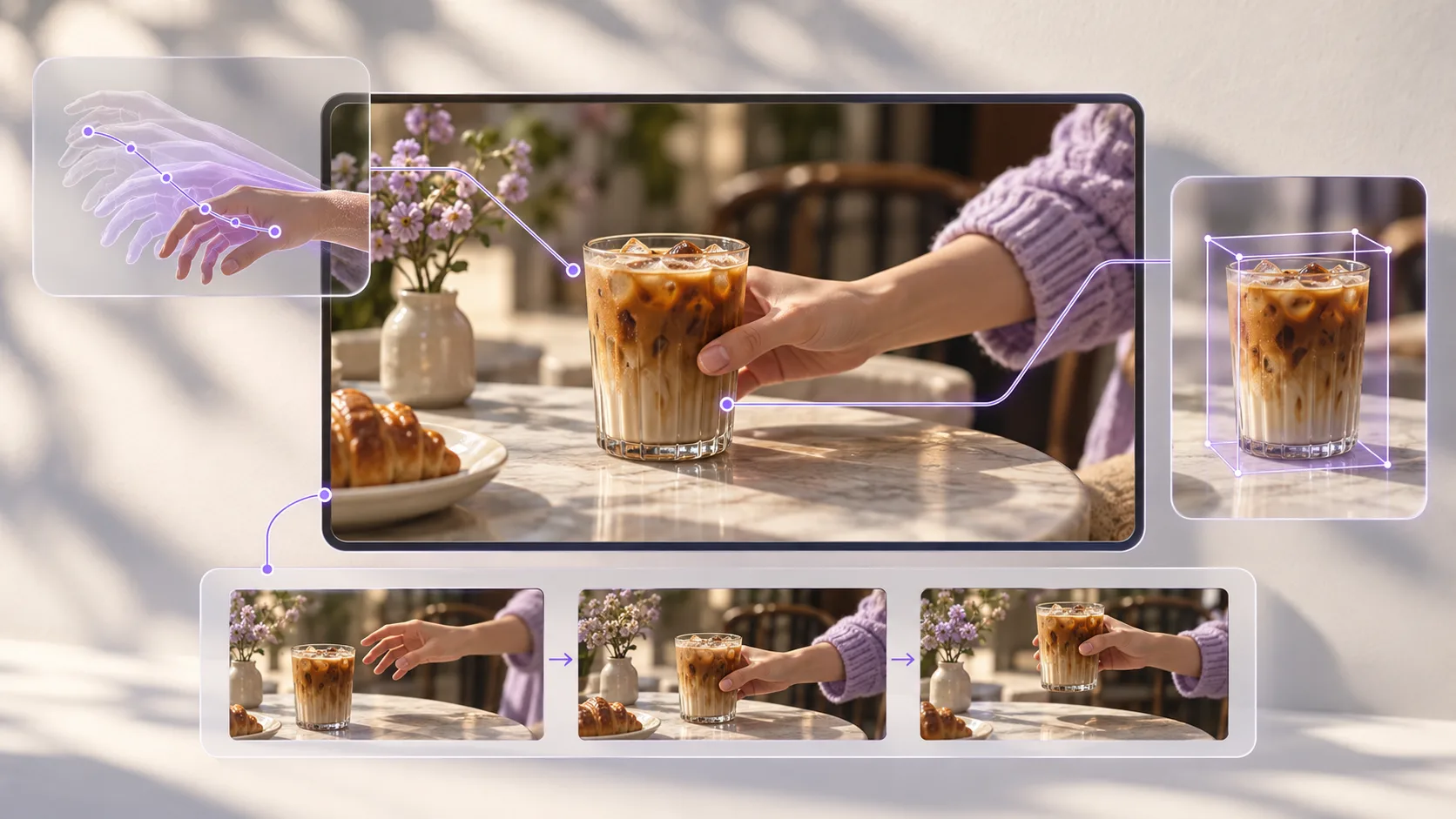
A video analysis model is useful when it can accurately explain “who did what, and when” and provide visual evidence you can review. This article compares 13 general-purpose and specialist models, selecting 6 candidates for closer evaluation across overall understanding, complex reasoning, batch analysis, asset archiving and precise localization.
Start with the comparison table
Before reading a video analysis comparison table, check the tasks it measures, input conditions and margins of error. This article reviews research and product documentation: public academic benchmarks define the capability areas, recent evaluations from a shared source illustrate model performance, and vendor documentation establishes interface capabilities. We did not rerun the models. The six recommendations below are editorial choices for different use cases, not the top six from a single controlled experiment .
Research Scope : Reference video breakdowns, video question answering, event localization and asset retrieval. Data verification date : October 18, 2026. Evaluation Unit : Specific model versions and input pipelines. Chat products, vision APIs and video APIs from the same brand are checked separately.
1.1 Evaluation criteria: From semantic understanding to verifiable temporal localization
| Dimension | Research questions | Suggested metrics to record |
|---|---|---|
| Visual facts and text | Are the subject, objects, scenes, and screen text correctly recognized? | Factual accuracy; on-screen text recognition error rate |
| Actions and timing | Can the model distinguish picking up from putting down, entering from leaving, and the order in which actions occur? | Event recall; action-order accuracy |
| Temporal and spatial localization | Do descriptions match actual video segments, and can the target be located in a region of the frame? | Temporal intersection over union (tIoU); boundary error; bounding-box intersection over union |
| Long-form video consistency | Can the characters, objects, and narrative relationships across shots be consistent? | Question-answering accuracy by video duration; cross-segment identity confusion rate |
| Combined audiovisual understanding | Can visible actions, actual dialogue, background music, and off-screen sounds be distinguished? | Audio versus silent-video comparison; accuracy on questions involving conflicting audio and visuals |
| Evidence and Uncertainty | Does the model present events that never appeared as facts? Can it acknowledge uncertainty when the evidence is unclear? | Share of unsupported assertions; proportion of evidence timestamps that can be traced back to the source |
| Actual cost of use | How many calls, how much waiting and how much manual correction does it take to produce an acceptable analysis? | Total cost per accepted report; P50/P95 latency; minutes of manual review |
Report these metrics separately. Video question-answering accuracy measures the ability to answer questions; retrieval recall measures whether relevant segments are found; localization error measures the accuracy of time boundaries. Averaging them directly can hide weaknesses that affect editing and remakes. The table above is a proposed acceptance framework for production use, not a full test suite already completed by a leaderboard.
1.2 Input Conditions and Evaluation Design
Sampling the same video at one frame per second gives different information coverage from taking a fixed number of screenshots. Inputs with subtitles, original audio or visuals alone should also be compared separately. Video-MME v2 introduces grouped nonlinear scoring to assess whether related questions are answered consistently. Its published configurations still use different frame budgets, and the audio conditions for Omni models need separate explanation. It helps explain evaluation methods; it is not a buying guide for all recent models. [1] Video-MME v2
The recent-model comparison uses excerpts from StarZero’s video understanding evaluation because it covers more current general-purpose and specialist video models. That evaluation uses a private dataset and cannot be fully reproduced independently. This article treats it as one external observation and uses official interface documentation to assess possible applications, without treating the results as academic consensus. [2] StarZero
13 models compared: General-purpose and specialist video models
The first 10 rows are excerpted in descending order of scores from the same source, while the last 3 lines supplement candidates with different tasks or missing comparable scores; This is not the complete list. The score is out of 100, and "±" refers to the 95% confidence interval published by the source. When intervals overlap, it is not appropriate to judge winners based solely on point estimates. Categories and usage boundaries are explained in the following document; Candidates without verified interfaces only retain evaluation records.
| Model | Type/Scope of Evidence | StarZero score | What should be distinguished when selecting a model? |
|---|---|---|---|
| Gemini 4 Argon | General-purpose multimodal | 81.1 ± 1.9 | Official video and audio input support; candidate for comprehensive analysis |
| Claude Opus 5.5 | General-purpose visual reasoning | 77.7 ± 4.0 | Image input; Video tasks require preparing frame sequences and time information |
| Muse Wonder | Candidate included in an external evaluation | 77.5 ± 3.1 | Only the same source results are shown; This article does not verify access conditions |
| GPT-6 Astra | General-purpose visual reasoning | 76.7 ± 6.2 | API supports images; does not support direct video/audio input |
| Gemini 3.8 Flash | General-purpose multimodal | 76.1 ± 6.9 | Video and audio understanding; candidate for batch analysis |
| Qwen3.8 Max | Candidate included in an external evaluation | 74.6 ± 2.6 | Recent Qwen version; Do not use the results of the previous version |
| GPT-6.1 Sol | Candidate included in an external evaluation | 72.4 ± 2.0 | Recorded separately from Astra; shared branding does not imply identical capabilities |
| Gemini 3.7 Flash | General-purpose multimodal | 69.1 ± 4.2 | Used as a reference for the Flash series version |
| Qwen3.8 Flash | Candidate included in an external evaluation | 61.1 ± 9.8 | Different configurations from Max; Rankings cannot be shared |
| TwelveLabs Pegasus 1.6 | Specialist video-to-text model | 35.3 ± 3.6 | Timestamped metadata and events within clips; specialist localization capabilities do not imply high general-purpose scores |
| DeepSeek-V4-Flash-Vision-Exp [3] | Experimental image understanding | — | Candidate for a frame-based analysis pipeline; standard V4.1 Flash scores do not apply |
| Vidi2.5 | Research model specializing in spatiotemporal localization | — | Focuses on time intervals and bounding boxes; evidence comes from the tasks in its paper |
| TwelveLabs Marengo 3.5 | Specialist multimodal embedding model | — | For custom retrieval systems; outputs embeddings rather than directly writing analysis reports |
Source of values: StarZero original review , checked on 2026-10-18. Only selected configurations are included. Scores were neither recalculated nor converted into event-recognition accuracy. Model input capabilities were checked separately against official documentation.
Why should specialized models be understood separately? Marengo 3.5 generates multimodal embeddings for retrieval systems. The officially hosted Search interface still uses Marengo 3.0; you must query 3.5 embeddings in your own system. Vidi2.5 studies finer spatiotemporal localization. Neither type should be forced into a score for open-ended video description. [4] Marengo 3.5 ; [5] Vidi2.5 Technical Report
6 Key Recommendations: Select video analysis models by task
The following six candidates cover different production tasks, numbered for reading purposes only. Recommended based on public evaluation, verifiable input capability, and task suitability; The value of professional models must be verified by corresponding tasks, and cannot be used to claim overall performance over other models in the table.
01 · Gemini 4 Argon: A comprehensive understanding of complex video
Consider Gemini 4 Argon when you need one model to combine visuals, audio and a long context. Its official model card lists text, image, audio and video inputs, making it a candidate for comparative tests of narratives across clips, character relationships and complex scenes. In practice, check for omissions toward the end of long videos, evidence supporting causal claims about actions, and restrictions in the service you use. [6] Official model card
02 · Claude Opus 5.5: Keyframe evidence and complex interpretation
If your workflow already extracts keyframes, timestamps and transcripts, Claude Opus 5.5 is worth evaluating for reasoning across that evidence and producing structured explanations. Its officially published input modalities are text and images, so this recommendation concerns a video analysis pipeline with preprocessing. Contact moments, fast transitions or off-screen sounds missed by frame extraction require additional evidence gathering. [7] Anthropic input modality documentation
03 · GPT-6 Astra: Video analysis workflows that require calling tools
For tasks involving frame extraction, transcripts, asset lookup and report writing, evaluate GPT-6 Astra’s ability to orchestrate those tools. Its API model page lists image input support but no direct video or audio input. Supply frames with timestamps and use separate audio processing tools. Strong tool use does not replace inspecting the actual visuals. [8] OpenAI model documentation
04 · Gemini 3.8 Flash: Everyday reference breakdowns and batch analysis
For large collections of short reference videos, consider Gemini 3.8 Flash for an initial analysis pass, then measure the cost per acceptable report on your own material. Google’s documentation describes video understanding and a processing mode that explores the timeline as needed. Static processing samples at 1 fps by default, which may miss fast actions. Check separately whether the service you use exposes these controls. [9] Google video understanding documentation
05 · TwelveLabs Pegasus 1.6: Professional material archiving and event annotation
If the goal is to turn videos into events, tags, and metadata with temporal information, Pegasus 1.6 better meets these interface requirements. The official documentation lists capabilities related to first-person video understanding, in-segment event extraction, and structured output, making them suitable candidates for material archiving and action annotation. Chinese is a partially supported language, so Chinese dialogue and domain terminology should be verified first; Its professional positioning does not offset the lower scores in external general evaluations. [10] Pegasus 1.6 documentation
06 · Vidi2.5: Precise spatiotemporal localization for editing
If the question is “In which segment does this action occur, and which person performs it?”, Vidi2.5 offers a specialist approach worth studying. Its technical report covers temporal retrieval, spatiotemporal localization and video question answering, with outputs involving time ranges and bounding boxes. It is best considered a research and development candidate: the paper’s results depend on specific tasks and test settings and do not establish general chat capabilities. Deployment, licensing and interface availability still need verification. [5] Vidi2.5 Technical Report
How to turn public reviews into your own experiments
Start with a small test set drawn from material you commonly use: talking-head videos, rapid edits, product demonstrations, screen recordings with small text and continuous long takes. Include at least two videos of each type. Manually annotate events, action order, start and end times, and visible evidence. Ideally, two annotators should review the material independently and resolve disagreements. This sample size can expose problems but is not enough to infer overall performance.
Run two rounds. First, fix the frame budget, resolution, transcript and prompt to compare models given the same evidence. Second, allow each model’s native video capabilities and measure the complete system’s practical performance. Report the rounds separately and record model versions, inference settings, failed requests, retries and costs so preprocessing advantages are not mistaken for model advantages.
Recommended report record format
Source video and time range → Visible facts → Actions occurring in sequence → Evidence frames/audio clips → Unidentified details → Manual review conclusions.
For events that can be matched, report the intersection over union of the predicted and manually annotated time intervals, and count missed events separately. For action order, specify the ordering of each event pair. Manually verify unsupported descriptions against factual units defined in advance. A summary that “sounds plausible” cannot replace these checks. Precise subtitles also require word-level transcription and alignment; model-estimated timestamps still need checking against the original video.
What video analysis model does rikoko use?
rikoko currently adopts the Gemini video analytics approach. At the time of this check, the connected rikoko MCP capability interface reported “Gemini Video Analysis” as available. The corresponding analysis configuration in this repository specifies Gemini 3.8 Flash . It interprets the visuals and audio of reference videos. The host agent then uses that analysis for creative decisions, shot planning and subsequent review.
In rikoko, choose an overview, shot breakdown or remake-detail analysis according to the task. An overview identifies subject and style; a shot breakdown produces shot records you can check; remake details focus on starting state, action phases, spatial relationships and ending state. Longer material can be prepared in segments and the reports combined, with uncertain points checked against the original clips.
For video creation, this approach allows the "analysis results" to continue into the production process: first clearly check the reference shots, then confirm your target shots, and finally prepare to generate and review the material. The analysis model and the generation model each have their own roles; rikoko's video generation prioritizes the MiniMax interface that meets input requirements by default.
Product fact-check: rikoko MCP capabilities on 2026-10-18 and the analysis configuration in the repository file config/models.fal-testing.example.json . The capability interface confirmed Gemini analysis was available but did not disclose the underlying model version. The Gemini 3.8 Flash version description comes from the repository configuration; no new analysis task was run to verify the actual routing. Accuracy still needs checking video by video, and segmented processing does not itself mean the provider’s sampling frame rate has increased.
Keep reading

Three AI video workflows compared: MCP, Agents and Skills
Compare how Agents, Skills and MCP fit into video production, with a rikoko example that adapts a reference ad into a cold brew coffee campaign.

AI video scripts and storyboards: narrative, shot design and prompts
A five-step guide from creative brief and audiovisual script to storyboard and generation prompts, using a 30-second product video with six complete shot examples and review criteria.

6 image models compared: Nano Banana 2.1 was fastest, GPT Image 2.5 most photorealistic in our poster test
Compare official 1080p output prices and maximum resolutions, with original images, timings and visual observations from two test groups covering five models.
Translated from our October 2026 editorial drafts. Original authors, source dates and references are preserved; prices and rankings reflect the cited editions.